
Email Segmentation for Bloggers: How to Triple Revenue Without Writing More Emails
Sending the same email to every subscriber is leaving 60% of revenue on the table. This guide shows 4 segmentation frameworks that 3x email revenue without extra work.
The “Spray and Pray” Email Problem
Most bloggers treat their email list as a megaphone. Write an email, send it to everyone, hope some people click. It’s the same strategy a mass-market TV advertiser uses — and it’s just as inefficient when applied to a list of 2,000 subscribers who joined for completely different reasons.
Your subscriber who joined to get a checklist about starting a food blog has different needs, different buying stage, and different content preferences than the subscriber who joined because they read your income report and want to build a full-time blogging business. Sending them the same promotional email makes one of them — usually both of them — tune out.
The foundation of email monetization is a strong welcome sequence. If you haven’t built that yet, start with our guide on The Email Revenue Engine: How to Build a 7-Email Welcome Sequence. Segmentation is the next layer — it takes a working welcome sequence and multiplies its revenue potential.
What Segmentation Actually Is (and Isn’t)
Email segmentation is not sending different emails to different people every time you write something. That would be overwhelming and unsustainable. Proper segmentation is a system that automatically routes subscribers into the right tracks based on their behavior and attributes — and then lets automation do the work.
The practical definition: Segmentation = tagging subscribers based on what they do and who they are, then triggering targeted email sequences based on those tags.
You write the emails once. The tags determine who gets them and when. Once the system is set up, it runs without additional effort — which is why segmentation triples revenue without requiring you to write more emails.
The Revenue Math of Segmentation
Here’s a concrete example of what segmentation does to email revenue:
- 2,000 subscribers
- 1 promotional email to all
- 18% open rate
- 2.1% click rate
- 1.2% conversion rate
- Revenue: $504/send
- 2,000 subscribers in 3 segments
- 3 targeted emails (same total work)
- 31% average open rate
- 5.8% average click rate
- 3.1% average conversion rate
- Revenue: $1,550/send
Same list. Same total email volume. 3x more revenue — because the right offer reached the right person at the right stage of their decision process.
Framework 1: Lead Magnet Segmentation
Segment by Lead Magnet (Entry Point)
The lead magnet someone downloaded is the clearest signal of what they care about. A person who downloaded “The Beginner’s Guide to Starting a Blog” has fundamentally different needs than someone who downloaded “Advanced SEO Checklist for Established Bloggers.” Treat them differently from the moment they join your list.
- Create a unique tag for each lead magnet (e.g., tag: “lm-beginner-guide”, “lm-seo-checklist”)
- Trigger a specific welcome sequence based on which tag is applied at signup
- In each sequence, promote affiliate products and digital products matched to that entry intent
- After the sequence ends, move subscribers to your general list — but keep their entry-point tag for future targeting
Practical implementation
If you have one lead magnet, you don’t need this framework yet. But if you have 3+ content upgrades across different content categories, you have enough entry-point diversity to make lead magnet segmentation worthwhile immediately.
In ConvertKit or ActiveCampaign, create a separate form for each lead magnet that applies a unique tag at signup. Each tag triggers its own automation sequence. The sequences can share some emails (weekly newsletters, for example) but the first 3–5 emails — where trust is built and the first offers are made — should be specific to that lead magnet’s intent.
Framework 2: Engagement Segmentation
Segment by Engagement Level
Not all subscribers are equal. Some open every email. Others haven’t opened in 90 days. Sending a high-pressure promotional email to a 90-day dormant subscriber is a waste of send credits and a spam complaint risk. Sending the same email to your most engaged subscribers is leaving revenue on the table.
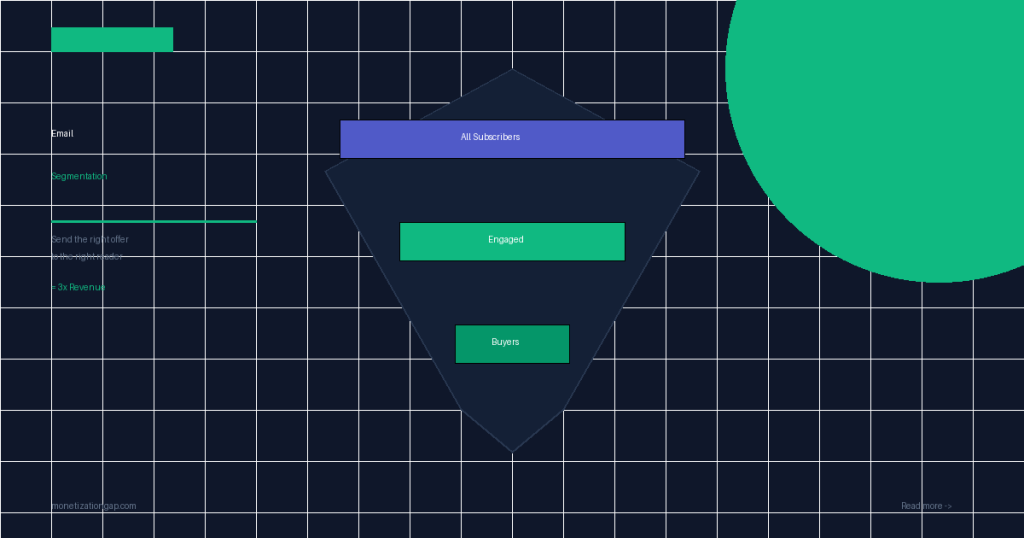
- Segment into 3 tiers: Engaged (opened in last 30 days), Warm (opened in last 31–90 days), Cold (no opens in 90+ days)
- Send your primary promotional emails only to Engaged and Warm segments
- Run a separate re-engagement sequence for Cold subscribers (subject line: “Should we break up?”)
- Purge subscribers who don’t re-engage after your re-engagement sequence — clean lists dramatically outperform inflated lists
The counter-intuitive math of list pruning
Removing inactive subscribers feels like a loss. In practice, it’s a revenue optimization. A 5,000-subscriber list with 30% engagement generates less email revenue than a 3,000-subscriber list with 55% engagement — because email platform algorithms, inbox placement, and click rates all improve dramatically with higher engagement ratios.
Want the full framework?
The Monetization Gap Playbook includes ready-to-use segmentation templates, automation diagrams, and the exact email copy for each segment type.
Framework 3: Interest-Based Segmentation
Segment by Content Interest (Click Behavior)
What subscribers click in your emails tells you exactly what they care about. A subscriber who consistently clicks links about “SEO tools” but never clicks “email marketing” links is telling you their priority. Use this data to tag subscribers and route them into specialized tracks.
- Set up click-tracking tags in your email platform: when a subscriber clicks a link tagged “topic: SEO”, apply a “interested-seo” tag
- After 3–4 emails, subscribers self-sort into interest categories based on what they click
- Run interest-specific promotions: the “interested-seo” segment gets your SEO tool recommendations; the “interested-email” segment gets email platform affiliate promotions
- Review interest tags quarterly — subscriber priorities shift over time
How to set up click-based tagging
In ConvertKit, you can add an automation rule: “When subscriber clicks link X, apply tag Y.” This runs automatically in the background. After 60–90 days, you’ll have a richly tagged list that lets you target precisely.
The key is tagging every link in every email by topic category. Create a consistent taxonomy: topic: seo, topic: email, topic: monetization, topic: content. Apply these tags to all links. Within 2 months, you’ll have behavioral data on your entire list.
Framework 4: Buyer vs. Non-Buyer Segmentation
Segment Buyers From Non-Buyers
This is the most fundamentally important segmentation a blogger with a digital product can implement. Sending purchase promotions to people who’ve already bought is not only wasteful — it actively damages the relationship. Buyers should be treated differently: thanked, onboarded, upsold to the next product — not sent the same “have you considered buying?” sequence as non-buyers.
- Tag every subscriber who makes a purchase with “buyer: [product name]”
- Exclude all buyer-tagged subscribers from promotional campaigns for the product they purchased
- Enroll buyers in a separate onboarding sequence that maximizes product usage and satisfaction
- After onboarding (7–14 days), buyers enter an upsell sequence for your next product
The buyer experience problem
Most bloggers continue sending the same promotional emails to buyers because they haven’t built a buyer-specific track. The result: buyers unsubscribe because they feel like they’re being ignored as customers and treated like prospects. This is a massive churn problem — your best customers (buyers) leave your list, and you lose future upsell revenue.
A simple buyer track: Thank you email → Product onboarding tips (3–4 emails) → Case study or success story → Introduction to next product → Upsell offer. This 7-email sequence typically generates 40–60% more upsell revenue than sending a standalone upsell email to your general list.
How to Combine All 4 Frameworks
The power of segmentation compounds when frameworks work together. Here’s how a complete segmentation architecture looks:
| Subscriber Type | Active Tags | Next Email Action | Revenue Focus |
|---|---|---|---|
| New subscriber (beginner LM) | lm-beginner, engaged | Beginner welcome sequence | Entry-level affiliate offers |
| Engaged, interested in SEO | engaged, topic-seo, non-buyer | SEO tool promotion | SEO affiliate programs |
| Product buyer, onboarding | buyer-product-x, engaged | Onboarding email 3/7 | Product satisfaction → upsell |
| Warm, no topic tags yet | warm, no-topic | Interest survey email | Self-segmentation trigger |
| Cold subscriber | cold, non-buyer | Re-engagement sequence | Reactivate or purge |
The Segmentation Setup Checklist
If you’re starting from scratch, here’s your 30-day implementation roadmap:
- Week 1 — Audit your list: Tag all existing subscribers by lead magnet source and purchase status. Most email platforms can do bulk tagging via CSV import.
- Week 2 — Build engagement tiers: Use your platform’s built-in engagement scoring (or date of last open) to create Engaged/Warm/Cold segments.
- Week 3 — Set up click-based tagging: Tag all links in your email templates by topic. Create automation rules that apply tags on click.
- Week 4 — Create buyer track: Build the 7-email buyer onboarding sequence. Set up the automation rule that removes buyers from non-buyer promotional campaigns.
Measuring Segmentation Impact
Track these metrics before and after implementing segmentation (use 30-day windows for comparison):
| Metric | Pre-Segmentation Baseline | Target After Segmentation |
|---|---|---|
| Average open rate | 18–22% | 28–38% |
| Average click rate | 1.5–3% | 4–8% |
| Revenue per email sent | $0.10–$0.25 | $0.28–$0.75 |
| Unsubscribe rate | 0.3–0.6% | 0.1–0.25% |
| Spam complaint rate | 0.05–0.1% | <0.02% |
Common Segmentation Mistakes
- Over-segmenting too early. If you have fewer than 500 subscribers, some segments will have 30–50 people — too small for meaningful data. Build the infrastructure, but keep segments broad until list size justifies more granular splits.
- Ignoring the tag maintenance problem. Tags accumulate. A subscriber can end up with 20+ tags after a year, making automation logic complex and buggy. Audit and clean up tags quarterly.
- No exit condition from segments. A “cold” subscriber who re-engages should exit the Cold segment automatically. Build conditional logic into every segment definition, not just entry conditions.
- Segmenting without the right content. If you only have one affiliate product to promote, segmentation has limited value. Build your product/offer inventory first, then segment to route subscribers to the right offer.
Frequently Asked Questions
Turn Your Email List Into a Revenue Engine
The Monetization Gap Playbook includes complete segmentation automation diagrams, email templates for every segment type, and the 30-day implementation roadmap.