

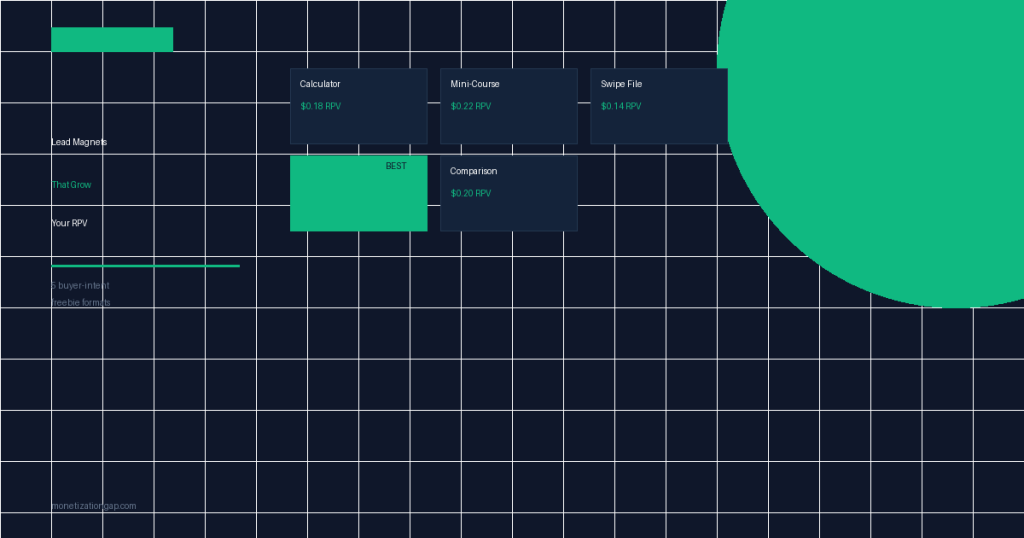
List Building for Bloggers: The 5 Lead Magnets That Actually Grow Your RPV
Every blogger has heard that “the money is in the list.” What they’re not told is that the money is specifically in the right kind of list. A 10,000-subscriber list of freebie seekers generates a fraction of the revenue of a 2,000-subscriber list of buyer-intent readers. The lead magnet you use to build that list is the single biggest determinant of which type of subscriber you attract.
This article covers the five lead magnet formats that consistently attract purchase-ready subscribers — and explains why most common lead magnet advice produces the wrong kind of list growth.
Buyer-Intent vs. Freebie-Seeker Subscribers
This distinction is the foundation of everything that follows. Two subscribers can look identical in your ESP — same opt-in date, same source, same email address format. But one will generate $0 in their first year and the other will generate $40–$150. What’s different?
The context in which they subscribed. A reader who opts in from your “best project management software for freelancers” comparison page is actively comparing options before a purchase. A reader who opts in from your “what is project management” definition article is in research mode, not buying mode.
Both are valid subscribers. But the buyer-intent subscriber converts on email affiliate promotions at 2–4x the rate. The lead magnet you use should be designed to match — and filter for — buyer intent. The five formats below all do this, in different ways.
The freebie-seeker problem: A “Free 47-page guide to X” generic ebook attracts maximum volume — but most of those subscribers were looking for a free resource, not a product recommendation. Open rates are lower, unsubscribe rates are higher, and revenue per email sent is significantly worse. Bigger list, worse revenue.
The 5 High-RPV Lead Magnet Formats
The Interactive Calculator
Calculators are the highest-converting lead magnet format for one reason: they require input to deliver personalized output. The subscriber isn’t downloading a generic resource — they’re getting an answer specific to their numbers. That specificity triggers a perceived value exchange that generic PDFs can’t match.
Examples: “How much life insurance do I actually need?” calculator (personal finance), “What’s your freelance rate?” calculator (business), “How long will my emergency fund last?” calculator (personal finance), “What’s my site’s RPV?” calculator (our own use case).
Build requirement: calculators can be built in a Google Sheet with a share link, a simple HTML/JavaScript page, or a tool like Outgrow or Calconic. The technical barrier is lower than most bloggers assume.
The email integration works by gating the full results (the detailed breakdown, not just the summary number) behind an opt-in form. Show the headline result immediately to prove value; require an email address for the actionable interpretation.
The Mini-Course (5–7 Emails)
A mini-course delivered over 5–7 days via email builds a consumption habit immediately. Each email in the sequence trains the subscriber to open and act on your emails — the exact behavior you need for affiliate promotions to convert. By the time the mini-course ends, you’ve established a sending relationship and the subscriber has demonstrated engagement by opening across multiple days.
The key design principle: each lesson in the course should naturally lead to a next step where a product purchase is the logical progression. “Lesson 3: How to choose your first email marketing tool” — followed immediately by your affiliate review of that category. Not every email needs an affiliate link. The course should genuinely teach. But the curriculum should map to the buying journey of your ideal customer.
Mini-courses have a secondary benefit: they’re perceived as high-value (a “course” sounds more substantial than an “ebook”), which means you can place them on pages where a simple PDF opt-in would be ignored.
The Swipe File
A swipe file is a collection of ready-to-use templates, scripts, copy, or examples. Unlike an educational ebook, it’s a tool — something the subscriber uses on a specific task immediately. The immediacy of use means the subscriber derives real value quickly, which correlates with better email engagement over time.
Examples: “27 email subject line templates for bloggers,” “The cold pitch email that got us 14 guest posts,” “Affiliate disclosure templates by platform (FTC-compliant),” “Weekly content planning spreadsheet.” All of these are high-specificity, immediately actionable, and signal a specific type of practitioner who is solving real business problems.
The subscriber who wants a swipe file is in execution mode — they have a problem and they’re collecting tools to solve it. That mindset is highly correlated with product purchases. They’re not in “learn mode”; they’re in “do mode.” Do-mode subscribers convert at significantly higher rates on affiliate product recommendations.
The Case Study PDF
A case study PDF lead magnet works because it’s the one format that answers the question every skeptical reader has: “Did this actually work for someone real?” It provides social proof, demonstrates the outcome, and simultaneously teaches the method. The reader opts in not just for information — they opt in because they believe you have evidence of results.
Format: 4–8 pages. Cover the starting point (the problem), the exact approach taken (step by step, with specific numbers), the results (before/after metrics), and the “what I’d do differently.” That last section matters — it signals honesty and prevents the case study from reading like pure promotion.
The specific numbers requirement is non-negotiable. “She grew her list” is a testimonial. “She grew her list from 340 to 4,200 subscribers in 18 weeks using a calculator lead magnet on her debt payoff calculator page” is a case study. The specificity is what makes it believable — and believable content is what generates buyer-intent subscribers.
The Comparison Guide
A comparison guide is a structured PDF that compares 3–5 competing products or approaches in a niche, with a clear recommendation framework. It’s the perfect lead magnet for blog posts targeting mid-funnel keywords like “X vs Y,” “best X for [use case],” or “X alternatives.”
The subscriber opting in for a comparison guide is, definitionally, in decision mode. They’re not learning about a category — they’re choosing within it. That decision context makes them the highest-converting email segment you can build. When your welcome sequence recommends the winner of the comparison, they’re primed to act because they’ve already been through a decision process.
Construction: the comparison guide doesn’t need to be exhaustive. 4–6 pages with a feature-by-feature table, your honest verdict, and a recommendation based on specific use cases. Keep it scannable — decision-mode readers scan, they don’t read linearly. Heavy text-per-page formats underperform in this context.
Free Resource
Want the lead magnet creation templates for all 5 formats — including the calculator HTML template and case study PDF outline? They’re in the Monetization Gap Playbook.
Lead Magnet Placement Strategy
The right lead magnet in the wrong location converts poorly. Placement is as important as format. The goal is to match the intent of the page with the benefit of the lead magnet.
In-Content (After H2 #2)
Mid-article placement after establishing value. Reader has already invested 2–3 minutes — conversion intent is highest here.
End of Article
Captures readers who consumed the full post. Lower volume but higher engagement — these readers are your most invested audience.
Hello Bar / Top Banner
Persistent across all pages. Lower intent match but high exposure. Works best with a strong, specific value proposition (not “join our newsletter”).
Exit Intent Popup
Captures bouncing readers. Works well for swipe files and calculators — “before you go, get the X template free.” Annoying if overused; powerful once per session.
Dedicated Landing Page
No distractions, single CTA. Run traffic to these pages from your social media and top-of-funnel posts. Highest conversion rate but requires active promotion.
Content Upgrade (Page-Specific)
A lead magnet specifically created for one post (“Download the spreadsheet version of this analysis”). The page-match precision drives high conversion rates on high-traffic posts.
Connecting Lead Magnets to Your Nurture Sequence
The lead magnet gets the subscriber. The nurture sequence determines whether they become a revenue-generating reader. The connection between the two must be seamless — the welcome sequence should reference the lead magnet the subscriber just downloaded and build from it.
A subscriber who downloaded your “email marketing tools comparison guide” should receive a welcome sequence that:
- Email 1 (immediate): Delivers the guide, sets expectations for what’s coming next
- Email 2 (Day 2): Deep dive on the winner from the comparison — with your affiliate review link
- Email 3 (Day 4): A common mistake people make when choosing in this category (educational, no CTA)
- Email 4 (Day 6): The alternative they may not have considered — second-place tool recommendation
- Email 5 (Day 9): Case study of a real result (proof content)
- Email 6 (Day 12): Transition to your regular content cadence
This structure — explained in full in our guide to the 7-email welcome sequence — generates 40–60% of a subscriber’s first-year revenue in the first 14 days. The lead magnet type determines who enters this sequence; the sequence determines what they do next.
For segmenting subscribers based on lead magnet source and optimizing which sequences they enter, see our guide to email segmentation for bloggers.
Conversion Rate Benchmarks by Format
| Lead Magnet Format | Typical Opt-in Rate | Buyer Intent Level | Revenue/Email (vs generic) |
|---|---|---|---|
| Generic Newsletter (“Join our list”) | 0.5–1.5% | Low | Baseline |
| Generic Ebook / Guide | 1.5–3% | Low–Medium | 1.1x baseline |
| Checklist (Generic) | 2–4% | Low–Medium | 1.2x baseline |
| Swipe File | 5–10% | High | 2.8x baseline |
| Case Study PDF | 5–9% | High | 3.1x baseline |
| Mini-Course (5–7 emails) | 5–9% | High | 3.4x baseline |
| Comparison Guide | 6–12% | Very High | 4.1x baseline |
| Interactive Calculator | 8–15% | Very High | 4.6x baseline |
Frequently Asked Questions
What is a good email list conversion rate from a lead magnet?
A well-targeted lead magnet on a relevant page should convert 3–8% of visitors into subscribers. General newsletter opt-ins typically convert at 0.5–1.5%. High-specificity lead magnets — calculators, case study PDFs, comparison guides — often hit 6–12% on the right page because the intent match is near-perfect and the perceived value is high relative to the subscription ask.
How many lead magnets should a blog have?
Start with one high-quality lead magnet, then create topic-specific ones for your top 5–10 traffic pages. A generic lead magnet on all pages performs far worse than page-matched lead magnets. A personal finance blog might have one lead magnet for debt-related content, another for investing content, and another for budgeting — each attracting a different buyer-intent segment into a relevant email sequence.
Which lead magnet format converts best?
Interactive calculators consistently achieve the highest opt-in rates (8–15%) because they require input to deliver personalized value. Case study PDFs and comparison guides convert at 5–9% when placed on pages with matching purchase intent. Generic ebooks and checklists average 1–3% unless they’re highly specific to the reader’s exact situation.
How do I attract buyer-intent subscribers rather than freebie seekers?
Place your lead magnet on pages with transactional intent rather than purely informational pages. A subscriber who opts in from a “best email marketing tools” comparison page is researching software purchases — very different behavior from someone who opts in from a general “what is email marketing” article. Page context is the most powerful determinant of subscriber quality.
What should happen immediately after someone subscribes?
Deliver the lead magnet immediately, then send a welcome sequence over the next 7–14 days. The welcome sequence is when subscriber intent is highest — this window generates 40–60% of the revenue a subscriber will produce in their first year. Waiting until you have “enough content” to start a sequence is one of the most expensive passive errors bloggers make.
Build the List That Generates Real Revenue
The Monetization Gap Playbook includes lead magnet templates for all 5 formats, the welcome sequence blueprint, and the segmentation framework to turn subscribers into buyers.